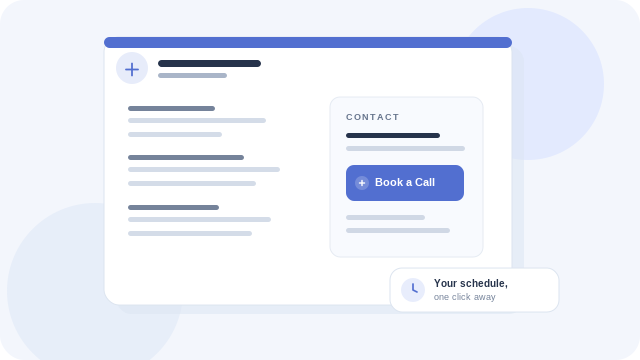
Add a Book a Call link
Add your Calendly URL and a “Book a Call” link appears in your CV contact details, giving recruiters a direct way to schedule a conversation.
Paste the job description and let our AI create a role-tailored CV with ATS-friendly keywords and formatting.
Resumo combines advanced AI with professional design so every application puts your best foot forward.
Use your experience and a job description to create an editable first draft.
Surface relevant terms from the job description and review each suggestion against your experience.
Six unique, print-ready designs — including polished two-column layouts.
Download a clean, watermark-free PDF whenever you're ready.
Edit and see your CV update live — no guessing, no surprises.
Share your resume with recruiters using a simple link. Make it easy for them to view your CV online.
Start with the role, review the draft, and make the final document your own.
Paste the job posting you want to target and provide the background details for your CV.
Resumo uses the posting and your experience to prepare an editable summary, skills, and work history.
Check every claim, choose a template, and download a PDF when your CV is ready.
Show how you fit the role, then make it simple to start a conversation.
Add your Calendly URL and a “Book a Call” link appears in your CV contact details, giving recruiters a direct way to schedule a conversation.
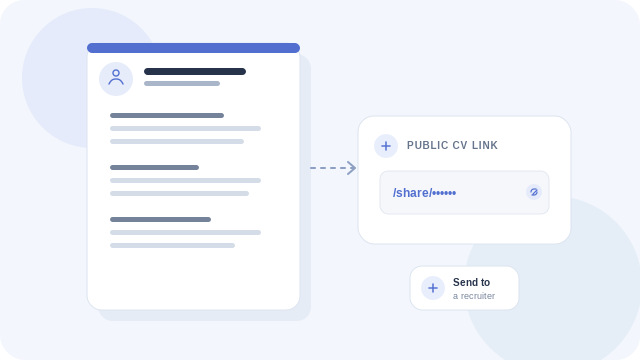
Create a public link so anyone you share it with can view your CV. CV sharing is free for every registered user.
Straight answers to help you make your next application count.
Resumo uses your experience and the job description to prepare an editable draft focused on the role. You can review and change every section. Applicant tracking systems vary, so no resume builder can guarantee a particular score, interview, or hiring result.
Resumo creates an editable draft with role-relevant skills and wording in a clear format. Applicant tracking systems and employer criteria differ, so we cannot guarantee a particular score or that a resume will pass a specific screening.
Add your profile and background details, paste in the target job description, then generate your CV. Review and edit the result in the live editor before exporting it as a PDF.
No. Start with your profile and background details, then add a job description. Always review the generated CV and correct anything that does not accurately reflect your experience.
Yes. Use the live editor to refine your content, choose from six templates, change the accent color, and optionally add a photo.
Yes. Resumo is free to use after signup. Create unlimited AI-generated CVs, use all six templates, export PDFs, and share public links at no cost. There are no subscriptions or per-CV charges.
Yes. Every registered user can create and save unlimited CVs for free, with no paid plan required.
Yes. A CV tailored to each job description can highlight the skills and experience most relevant to that role. Reusing one generic CV can miss what an employer is looking for. You can create a separate CV for every role for free.
Yes. PDF export and public shareable links are included for free with every account.
Start with the job description and your experience. Review and edit the draft before downloading.
No credit card required
No strings attached
Free PDF export
Download your finished CV anytime
Editable first draft
Review wording and facts before you export